
Numbers & Call Routing
Phone numbers
Manage inbound DIDs under Connect ▸ Twilio ▸ Numbers
(connect.twilio.number).
| Field | Description |
|---|---|
| Phone Number | The DID in E.164. |
| Friendly Name | Label from Twilio. |
| SID | Twilio Phone Number SID (populated by sync). |
| Destination | Where inbound calls to this number go: User, Call Flow, or TwiML. |
| User / Call Flow / TwiML | The target record for the chosen destination. |
| Ignore | Skip this number during sync. |
| Voice / Message URLs | Computed webhook URLs pushed to Twilio. |
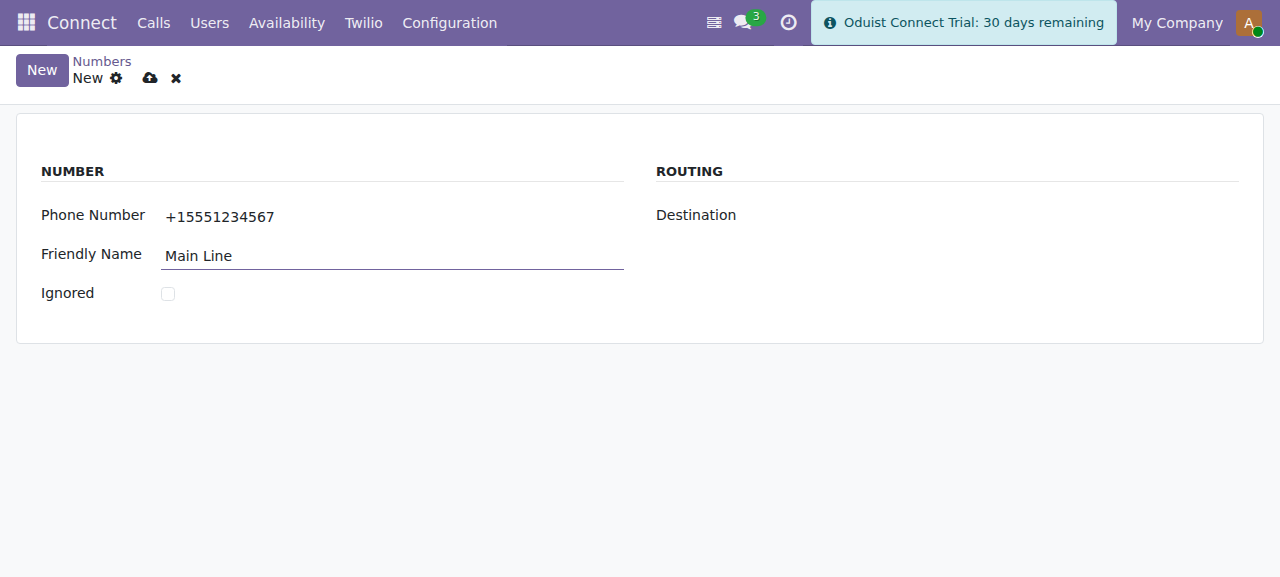
A Twilio number — set Destination to User, Call Flow or TwiML to route inbound calls.
When you set (or change) the destination and save, Connect pushes the matching
voice and messaging webhook URLs to Twilio automatically, so the number starts
routing through Odoo. An inbound call hits
/twilio/webhook/number, which calls route_call() and returns the TwiML for
the configured destination.
Use Sync on the number list to import numbers from the Twilio account.
Extensions
Manage internal extension routing under Connect ▸ Twilio ▸ Extensions
(connect.twilio.exten).
- Number — the extension digits, unique within Twilio. There is no enforced length limit, but keep extensions to 4 digits or fewer: click-to-call treats anything longer as an external number, and the caller-ID mapping heuristics only recognize extensions up to 4 digits.
- Destination — a polymorphic reference to a User, a Call Flow
(
connect.twilio.callflow), or a TwiML app (connect.twilio.twiml). - A TwiML preview shows what the extension renders.
Extension uniqueness is per provider — a Twilio extension 100 is
completely independent of a FreeSWITCH extension 100. Nothing gets an
extension automatically: users, call flows and TwiML apps each have a manual
button on their form (Twilio Extension on the user, Extension on call
flows and TwiML apps) that creates or edits the extension.
An extension is never taken over silently
Saving is refused, with the reason on screen, if the number is already in use — even by an extension that currently points at nothing — or if the destination you picked is already reached on another extension.
So moving a user to a different extension is two deliberate steps: clear the destination on their current extension (or renumber it), then assign the new one. Freeing an extension always releases the user — clearing its destination, pointing it at someone else, or deleting it.
Duplicate gives you the next free number with no destination set, for the same reason.
Outgoing caller IDs
Manage the numbers your users present on outbound external calls under
Connect ▸ Twilio ▸ Outgoing Caller IDs (connect.twilio.outgoing_callerid).
| Field | Description |
|---|---|
| Friendly Name | Label. |
| Number | E.164, unique, must start with +. |
Type (callerid_type) |
CallerID — an external number verified through Twilio validation; DID Number — a Twilio-owned incoming number mirrored here by sync (no validation needed). |
| Default | Exactly one caller ID may be the default; used for users without a personal caller ID. A CallerID-type record must be validated first. |
| SID | Twilio OutgoingCallerID SID. |
| Users | Users assigned this caller ID. |
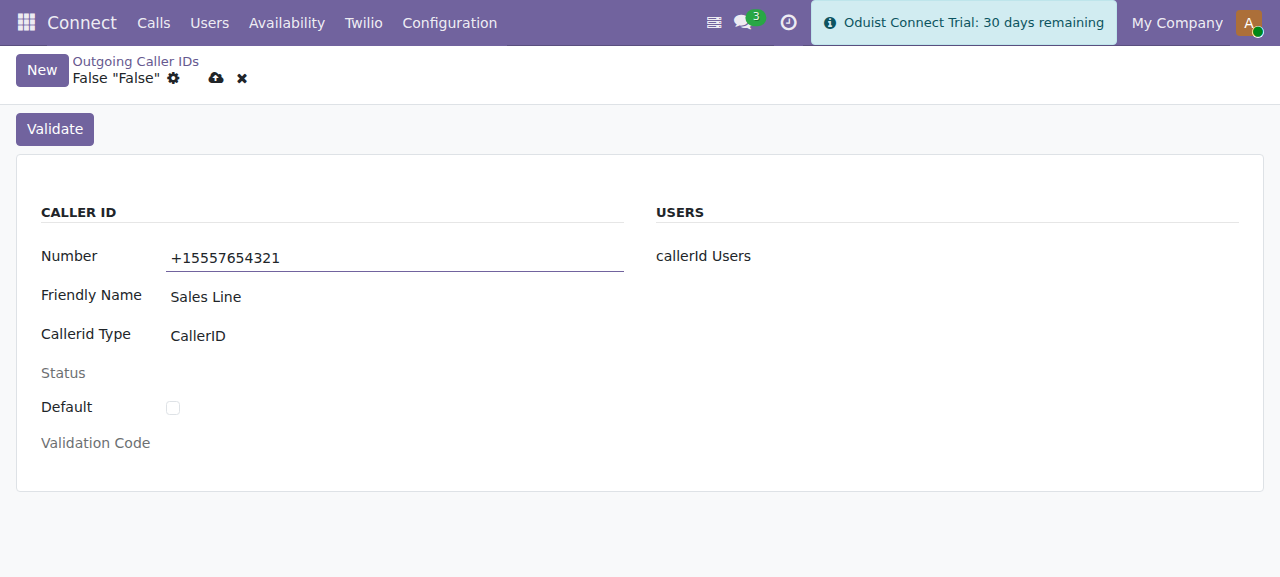
Adding an outgoing caller ID. Only one caller ID can be the default.
Validating a caller ID
Twilio requires ownership verification for numbers you do not own on Twilio. Validation is available in the US1 region only — the Validate button raises an error in other regions:
- Press Validate on the caller ID — Twilio returns a validation code.
- Twilio calls the number; the callee enters the code.
- Twilio posts the result to
/twilio/webhook/outgoing_callerid, which updates the record status.
Deleting a CallerID-type record removes it from Twilio; renaming updates its friendly name on Twilio. DID Number records cannot be deleted here — remove the number in the Twilio Console and press Sync.
Outbound call routing (summary)
When a user places a click-to-call (and their originate_provider is twilio):
- The number is normalized; anything longer than 4 digits is treated as
external and prefixed with
+. - The user's first call-flow leg (
clientorsip) determines whether the call is delivered to the browser (client:) or to a SIP endpoint. - If the dialed number matches an internal extension, that extension's TwiML is
used; otherwise an external
<Dial>TwiML is built with the user's (or the default) outgoing caller ID. - A recording status callback is attached when the user has call recording
enabled, and a
connect.channelrow is created to track the leg.
WhatsApp voice calls follow the same path but dial through the user's WhatsApp sender number instead of a PSTN caller ID.